
.svg)
Why Your Google Shopping Ads Get Impressions But No Clicks (Image Optimization Guide)


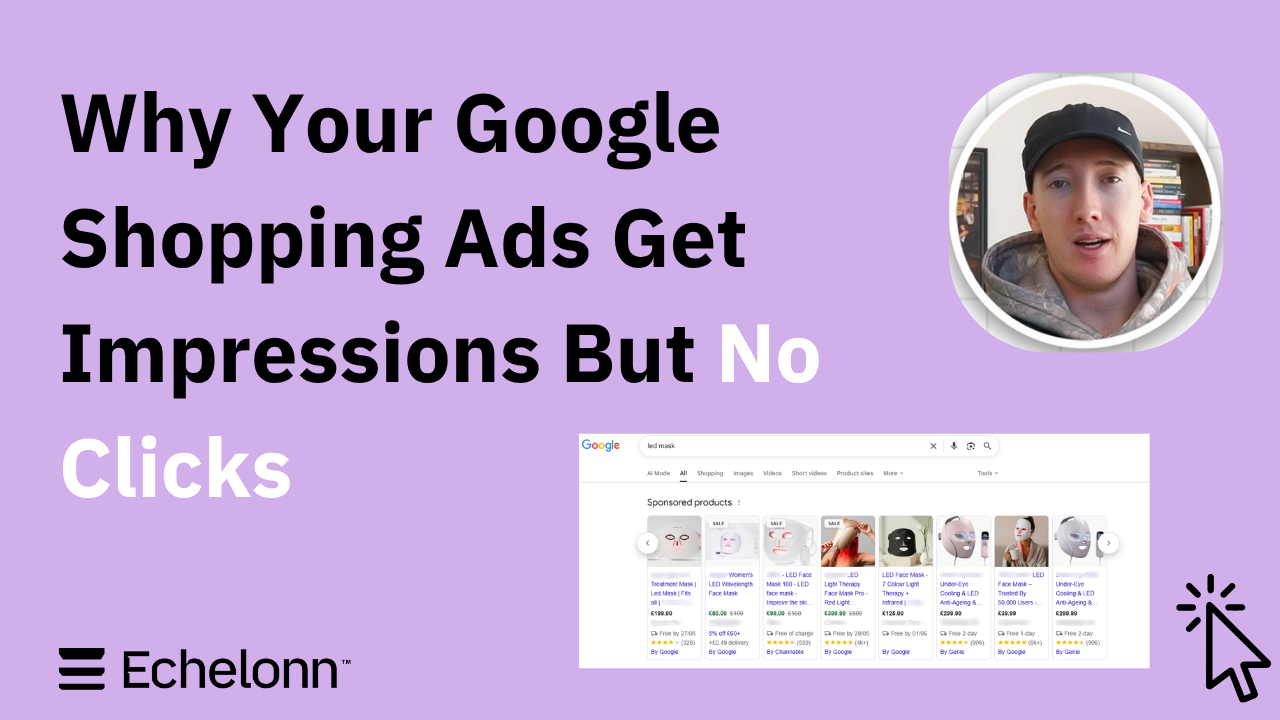
Most eCommerce brands think their Google Shopping campaigns have a targeting or bidding problem. In reality, the issue is often the product images themselves. If your feed relies on the same sterile white-background photos as every other competitor, you’re probably bleeding money in the auction. Your campaigns will still get impressions, but they will struggle to capture the clicks and attention needed to scale efficiently.
People don’t just buy products; they buy a better version of themselves. We recently tested this with a furniture brand by comparing standard catalogue images against lifestyle creatives generated in ChatGPT. The difference was immediate and significant: the standard images generated just $9,000 in revenue, while the AI-assisted lifestyle feed rocketed to $189,000 – a 2,000% surge triggered by a single feed change.
This isn't about randomly generating AI graphics and hoping for the best. Winning in 2026 requires a structured framework. In this guide, I’ll break down why your Shopping ads get impressions but no clicks, the exact image optimisation framework we use for our eCommerce clients, and how to fast-track your creative testing using AI-assisted workflows.
Why Your Shopping Ads Get Impressions But No Clicks
Google Shopping is a visual auction before it is a pricing or bidding auction. Most users don’t analyse your product title first. They scan the search results visually. If your image doesn’t stand out immediately, the scroll continues and the click goes somewhere else.
That’s why many eCom brands end up in a frustrating position where campaigns still generate impressions, but CTR stays weak and scale becomes difficult. The products might be good. The targeting might be right. But the creative isn’t capturing attention.
Your Product Images Look Like Everyone Else’s
This is one of the most expensive mistakes eCommerce brands make on Google Shopping, especially in hyper-competitive categories. As CPCs continue rising across eCom, wasting impressions on weak creatives becomes increasingly expensive.
Most advertisers still rely on standard, white-background catalogue photos. Technically, there is nothing wrong with them; they satisfy Google Merchant Center compliance rules and keep your products approved. The problem is that every single competitor in your auction is doing the exact same thing. There is no visual differentiation, zero curiosity, and absolutely no real reason for someone to click your listing over another.
In a visual-first auction like Google Shopping, consumers make split-second decisions. If your creative is sterile and generic, you are essentially forcing them to filter their choice by price alone. Your feed might be perfectly optimised for Google’s systems, but completely forgettable to actual shoppers.
The Image Doesn’t Match Customer Intent
Standard photography tells shoppers what the item is, but lifestyle imagery shows them how it fits into their life. To win the click, your creative must instantly match the psychological motivation of your Ideal Customer Profile (ICP) – whether that is luxury, comfort, or convenience.
We routinely test this by creating asset variations for different customer segments. For example, if you are selling an LED skincare mask, a female audience might respond best to an image of a model relaxing in bed with the product, leaning into the wellness angle. For a male audience, the creative direction can shift completely towards recovery, efficiency, or routine, showing a model on a couch after work instead. The product stays the same. The presentation changes entirely.
Your Feed Is Built for Compliance, Not Performance
A Google Shopping feed can be technically flawless and still perform poorly. Most eCommerce brands optimise their setup purely around approval metrics, category structure, and policy compliance. Their titles are formatted correctly, their images meet basic specifications, and everything gets approved inside Google Merchant Center. But a green light from Google doesn't automatically trigger consumer desire or clicks.
Performance depends on how compelling your product listing looks inside a live, crowded auction. This is exactly where many accounts plateau. Advertisers spend weeks tweaking bidding strategies, micro-managing budgets, and restructuring campaigns while leaving the creative side completely untouched.
“People don’t buy products. They buy a better version of themselves. If your Shopping images don’t communicate that, shoppers scroll past them.”
The Image Optimisation Framework We Use for Google Shopping
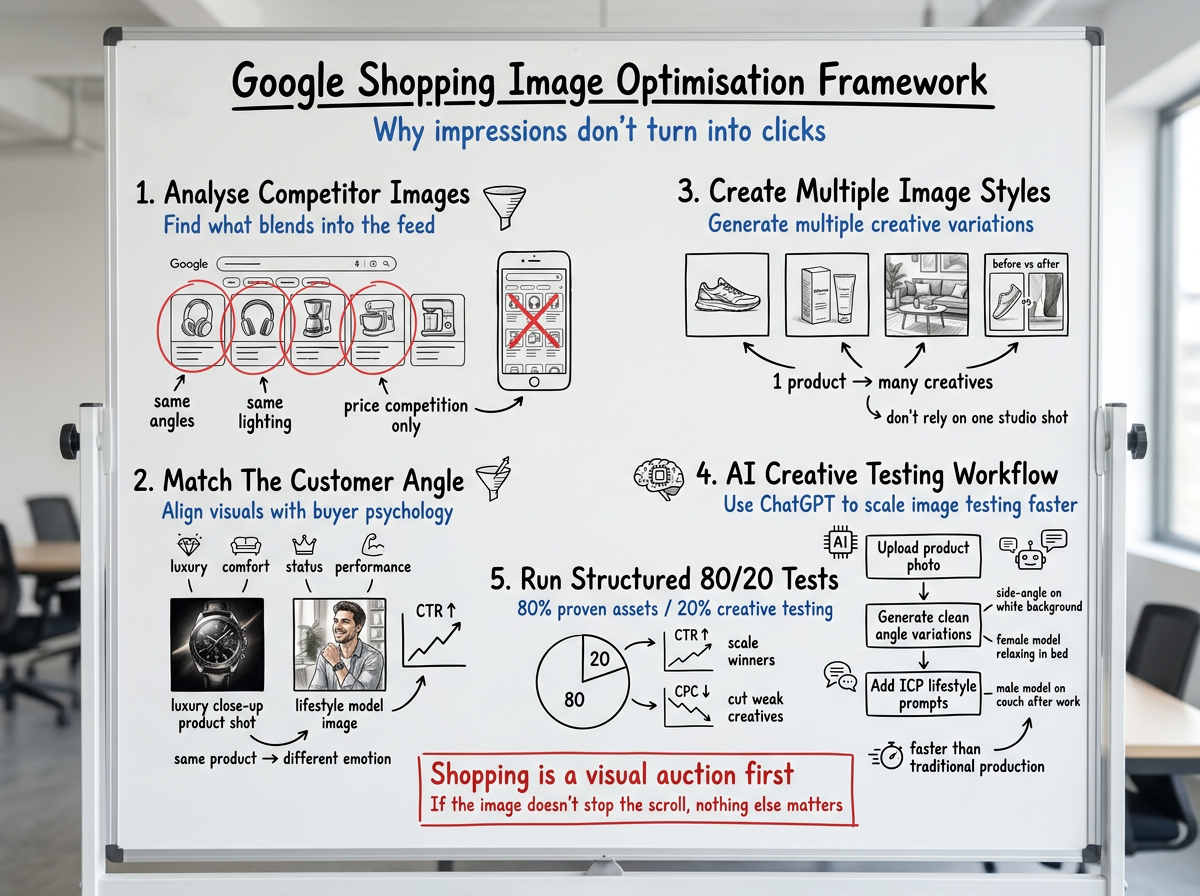
Step 1: Analyse What Competitors Are Showing
Start with the Shopping results themselves. Look at your search report, search your main keywords, review the ads ranking above you, and look for patterns in the images being used. Learn from their strategy.
You should also look at larger brands in your space, high-performing Shopping creatives, and product angles competitors aren’t using. Identify what blends into the feed so you can do something different.
Step 2: Identify the Customer Angle
Different customers respond to different creative angles. Some products perform better with luxury-focused imagery. Others respond better to comfort, convenience, status, performance, or lifestyle-focused creatives. This is why individualising your visuals for specific ICPs is so critical.
Instead of trying to speak to everyone with one generic studio shot, create images tailored to specific buyer motivations. Take a jewellery brand like Craftd: one visual angle might focus on a clean, luxury product close-up on a sleek surface to appeal to a design-conscious buyer. Another angle for the exact same product shifts toward status and lifestyle, showing the chain worn by a model in a fashion-focused setting. The product stays identical; the presentation changes to match the audience's intent.
Step 3: Create Multiple Image Styles
This is where we use ChatGPT to accelerate creative testing. Instead of producing just one final asset, we generate multiple creative variations for the same product. This includes everything from clean side-profile product shots and packaging-focused creatives to real-world product-in-use visuals and customer-specific variations.
The biggest misconception here is that you need an expensive tech stack of 50 different AI platforms to pull this off. Most of the time, you just need a high-resolution base photo of your product, a clear creative direction, and a set of strong prompts to guide the system.
Step 4: Run the 80/20 Budget Test
Once the new assets are ready, we test them directly against the existing feed images. A simple way to approach this is by allocating roughly 20% of your Google Ads budget to creative testing, while the remaining 80% stays on proven assets. This allows you to collect real CTR, CPC, and conversion data quickly. Don’t just look for an immediate spike in conversions. Early signs that the creatives are working usually show up first through higher click-through rates and lower CPCs.
Not every image style works for every brand or product category. That is why structured testing matters more than creative opinions or guesswork. The brands that consistently win with Shopping creative optimisation are the ones that treat their feed as an ongoing testing ground, leveraging real performance data to scale what works and cut what doesn't.
How We Use AI to Test Shopping Creatives Faster
Testing Shopping creatives no longer requires photographers, models, and weeks of production. With ChatGPT Plus, strong base images, and clear creative direction, brands can now generate and test new creative angles in minutes.
Here is the exact step-by-step process:
- Upload the Baseline Product Photo: Start a new chat, upload your highest-resolution source image, and prime the system: "Here is an image of our product. We are going to be adjusting the background and styling for Google Shopping ads. Let me know when you are ready."
- Generate Clean Angle Variations: Before moving to lifestyle, test different product perspectives against a compliant background: "Make me a side-angle image of this exact product against a solid, seamless white background."
- Inject the ICP Lifestyle Context: Use your Step 2 insights to build your prompts based on who you are targeting. For a female audience (e.g., LED Masks): “Make me an image of a female model lying down in bed with this mask on her face while she relaxes.” For a male audience: “Make me an image of a male model in a clean black shirt, relaxing on a brown couch, wearing this mask.”
This workflow allows brands to transform sterile catalogue shots into lifestyle-focused Shopping creatives within minutes, skipping the traditional production bottleneck almost entirely.
Final Takeaway: Shopping Performance Starts With Capturing Attention
Most eCommerce brands try to fix underperforming Google Shopping campaigns by constantly tweaking bids, budgets, and structures. But the reality is simple: if your product image fails to capture attention in that first split second, your technical setup does not matter as much. With more advertisers entering the auction and feeds looking increasingly identical, continuous creative testing is no longer optional; it is your single biggest lever for growth.
You do not need to overhaul your entire catalogue overnight. Start with your best-selling products. Allocate a portion of your budget to test a few ChatGPT-generated lifestyle variations against your current standard photos, and let the real CTR and conversion data decide the winner. Sometimes the biggest performance breakthrough in your Google Ads account doesn't come from changing your campaign settings. Instead, it comes from changing the image.

Ready To Start Scaling Today?
Scaling Your Favorite eCommerce Brands To The Highest Levels Through Google & YouTube Ads.

.svg)
Get Smarter About How To Scale Your Brand...
Discover Insider Knowledge On How We Scale Brands From 7 Figures All The Way Up To 8-9 Figures With Google Ads.
.svg)
.svg)
"The best Google ads agency there is. You only need to look at the quality of clients and the reviews to understand Jackson and his team are the real deal."

"One of the best in the agency space, great service and exceptional results. Since signing on with Jackson he has become one of our greatest assets when scaling."

"Top tier team & service delivery. Jackson is relentless when it comes to fulfilment & client needs. His attention to detail during the onboarding process ensured exponential results for my coaching business. If you're looking to elevate your ad results & learn a tone of new options/skills that can be implemented to drive more sales to your business then I'd strongly recommend Echelonn."

"From the very first conversation with Jackson and his team, it was clear that we had found a Google Ads agency that prioritises results above all else. Their collaboration between data-driven experts and a skilled copywriter creates a dynamic duo for Google advertising success..."

"Been working with them for 9 months and it's been a great experience. Jackson and his team know what they are doing and always goes above and beyond. If you're looking for a reliable Google ads agency this is the one."

"The best Google ads agency there is. You only need to look at the quality of clients and the reviews to understand Jackson and his team are the real deal."
"One of the best in the agency space, great service and exceptional results. Since signing on with Jackson he has become one of our greatest assets when scaling."
"Top tier team & service delivery. Jackson is relentless when it comes to fulfilment & client needs. His attention to detail during the onboarding process ensured exponential results for my coaching business. If you're looking to elevate your ad results & learn a tone of new options/skills that can be implemented to drive more sales to your business then I'd strongly recommend Echelonn."
"From the very first conversation with Jackson and his team, it was clear that we had found a Google Ads agency that prioritises results above all else. Their collaboration between data-driven experts and a skilled copywriter creates a dynamic duo for Google advertising success..."
"Been working with them for 9 months and it's been a great experience. Jackson and his team know what they are doing and always goes above and beyond. If you're looking for a reliable Google ads agency this is the one."
More Articles Like This.
Find answers to common queries about our services and how we can help you.
.svg)
Performance Max Audience Signals Explained
Google Ads Optimization Score: Should You Trust It?
What Is a Good CTR for Google Ads?
Why More Google Ads Spend Doesn't Always Mean More Revenue
How To Rank Your Google Shopping Ads Multiple Times
Why Your Google Ads Scale Breaks After $X Per Day
How to Tell if Your Google Ads Agency Is Underperforming
Why Your Performance Max Campaign Gets Clicks but No Sales
.png)
Why Your Google Ads Budget Isn't Spending (And How to Fix It)

The Right Way to Run Google Dynamic Search Ads
How to Get New Customers With Google Ads in 2026
Why Your Google Ads CPA Keeps Increasing and How to Reduce It
What Is a Good ROAS for eCommerce Businesses?
How to Set Up Google Ads Conversion Tracking the Right Way
How Much Does a Google Ads Agency Cost?
Why Your Google Ads Are Not Converting
.png)
Average CPC in Google Ads by Industry (And What It Means for Your Strategy)
Performance Max vs. Shopping Campaigns: Which One is Better?

Why Your Google Shopping Ads Get Impressions But No Clicks (Image Optimization Guide)
Why Your Google Ads Are Not Showing

YouTube Ads Targeting Framework That's Driven $10M+ for eCommerce Brands

What Professional Google Shopping Ads Management Looks Like
How Much Do Google Ads Cost in 2026?

Should Your Business Use Google Search Ads or Performance Max?

Performance Max Best Practices for Sustainable Growth
.png)
Google Shopping Ads Audience Targeting: What Actually Impacts Performance
.png)
How to Write Google Search Ads That Actually Convert
.png)
6 Google Shopping Feed Best Practices That Drive Better ROAS
%20(1).png)
How to Get Your Products Recommended by AI (ChatGPT, Google AI & More)
.png)
Common Google Ads Myths That Cost Businesses Money
.png)
7 Benefits of Google Shopping Ads for Your eCommerce Business
.png)
How to Switch Google Ads Agency Without Losing Performance or Data
.png)
Demand Capture vs Demand Generation: Where Google Ads Fits
.png)
How to Prepare Your Business for Working With a Google Ads Agency

How to Avoid Wasting Budget on the Wrong Searches With Google Ads Keyword Match Types
Google Ads Account Ownership: What Businesses Should Know Before Hiring an Agency
.png)
Landing Page Optimization Strategies That Increase Conversions
SEO and Google Ads: How Search Engine Optimization and Paid Search Work Together
Types of Remarketing in Google Ads: How Each One Works and When to Use It
Google Ads Keyword Research: How to Find Keywords That Actually Convert
.png)
What Is Google Performance Max and How Does It Work?
.png)
How Advertorials Support High-Intent Google Ads Funnels
%20(Canva%20Template).png)
How Audience Targeting Works in Google Search Ads (and When to Use It)

Google Ads for New Brands: What to Know Before Spending Your First Dollar
.png)
What Is a PPC Agency – and When It Makes Sense to Hire One
.png)
How to Improve Your Google Ads Conversion Rate

.png)
The Right Way to Link Shopify and Google Ads for Scalable Growth
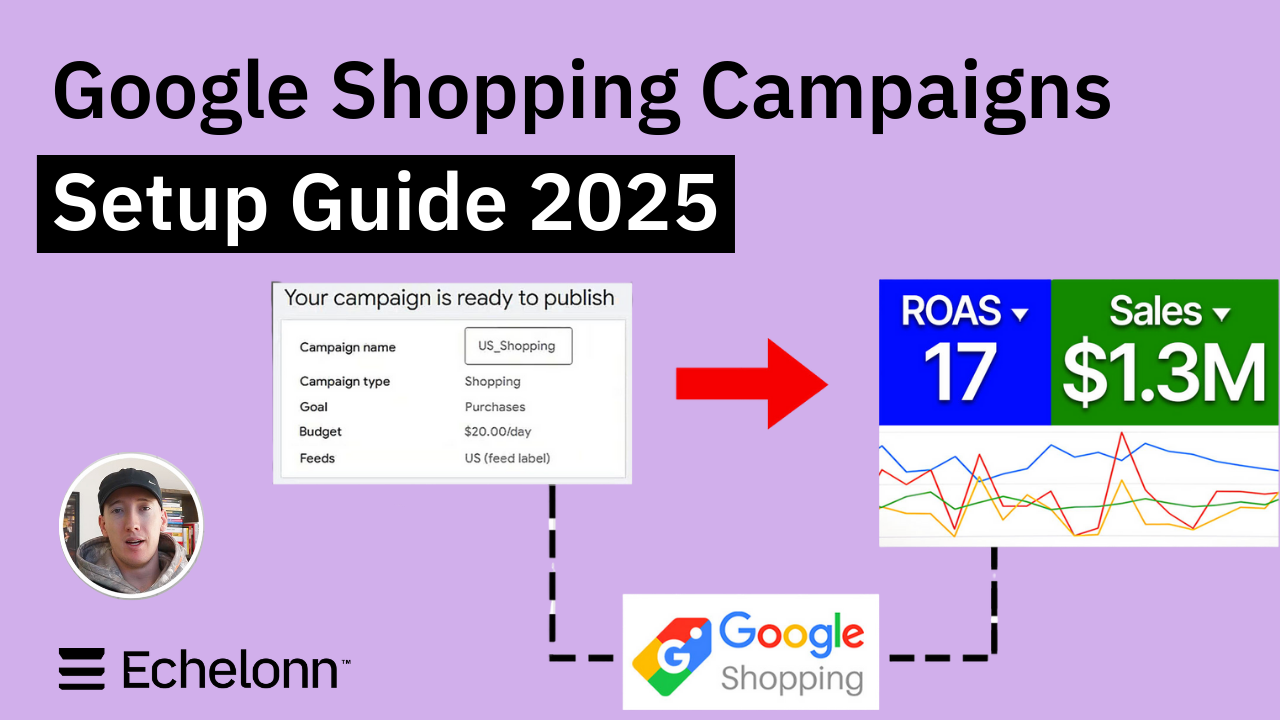
Google Shopping Campaigns Setup Guide 2025
Confessions of a Google Ads Auditor: The Worst Mistakes We See Inside eCom Accounts
How to Spy on Competitor Google Ads: Complete 2025 Guide
%20(2).png)
7 Questions to Ask Before Hiring a Google Ads Consultant
How to Rank #1 on Google Ads: Complete Shopping & Search Guide 2025
.png)
Learning Google Ads in 2025: The Roadmap Nobody Talks About
%20(1).png)
What Makes a Google Ads Specialist Worth $10,000/Month?

Why Cheap Google Ads Consulting Costs You $180,000+ in Lost Revenue
.png)
Why 99% of Google Ads Experts Fail (& How to Find One That Won’t)
.png)
5 Google Product Feed Fixes for eCom Growth
.png)
Google Ads Campaign Structure: Why 95% of Brands Waste Budget on Mixed Traffic

In-House vs Agency Google Ads: Which Delivers Better ROI in 2025?
.png)
How to Scale Google Ads With a Small Budget | Setup and Optimization

Google Shopping Optimization: 11 Proven Tactics for Maximum ROAS
%20(3).png)
eCom Growth Strategy: How We Scaled a Supplement Brand From $1.9M to $8.6M With Google Ads
%20(4).png)
Google Merchant Center Fix: How to Improve Rankings With Accurate Shipping Times

CTR Is Misunderstood by 95% of the PPC Industry (What to Optimise for Instead)
.png)
Google Ads AI | Manual vs Automated Campaign Performance

Complete YouTube Ads Guide 2025 | 3 Formats, 5 Principles, Proven Results
%20(2).png)
eCom Growth Strategy With Google Ads in 2025
.png)
Google Marketing Live 2025: 11 Key Takeaways for Marketers
%20(1).png)
YouTube Advertising Strategy: How to Drive Results Across Every Format
Google Shopping Feed Optimisation: Tips for Better Results

How Long Does it Take for Google Ads to Work?

YouTube Ads Analytics 101: Key Metrics and How to Use Them

Search Ad Strategies to Maximize Sales with Google ads for eCommerce (2024)

2025 Google Shopping Ads: Ultimate Guide, Benchmarks, and Pricing Breakdown

Maximizing ROI with Advanced Google Shopping Bid Strategies and Automated Bidding